
New from the firm
Your matters, whenever you want to look
We have opened a client portal. It is a private page for your engagement with Tungol Tan Fordan Campos: where each matter stands in plain language, every document on it, what is coming up, and your invoices — without having to call and ask.
This page walks through it. It takes about two minutes to read, and you will not need it again. The screenshots use a made-up client, so what you see below is the shape of it rather than anyone's real file.
What you will find
Every document in one place
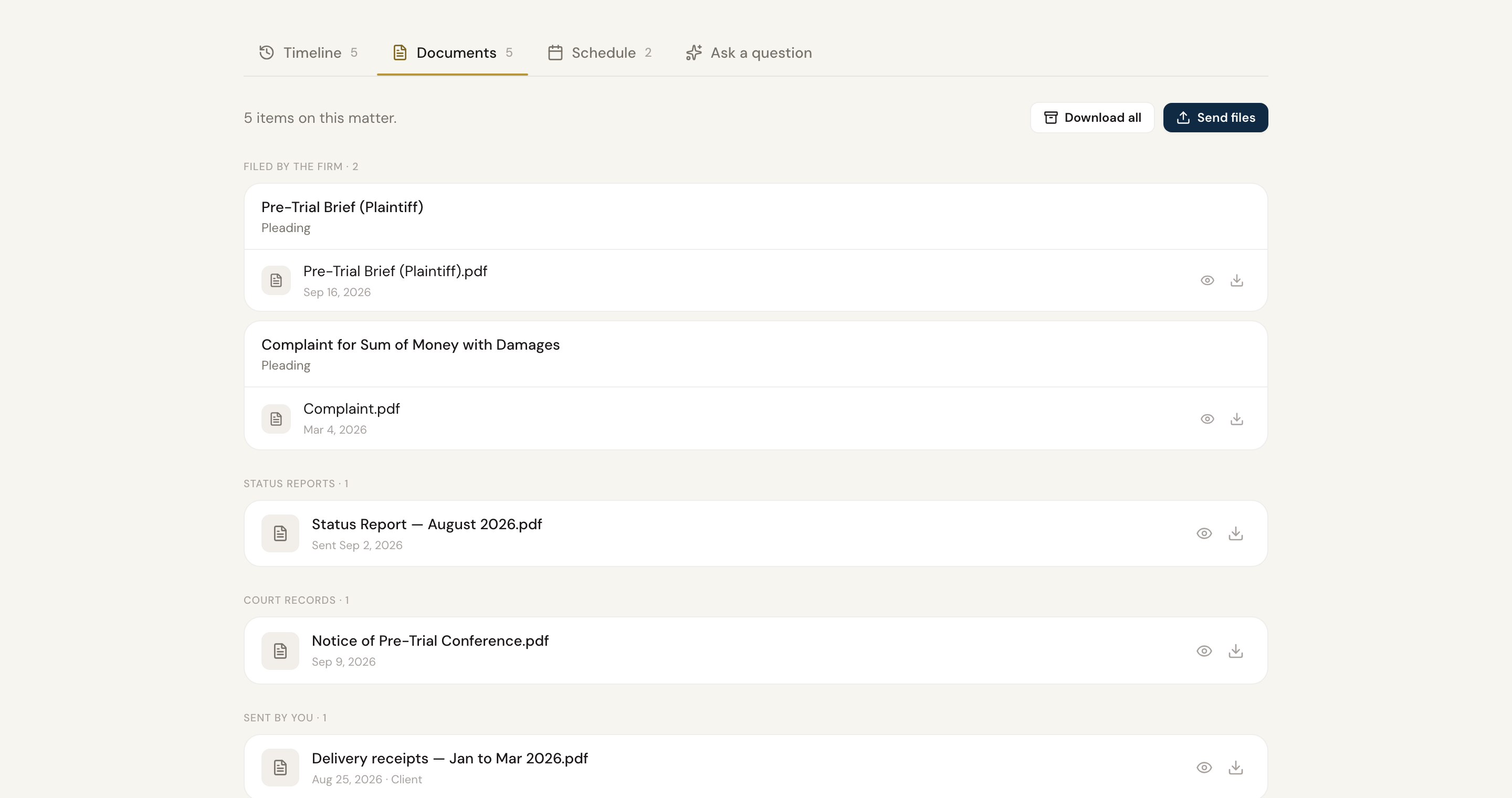
What we filed, what the court sent back, and the monthly status reports — all of it, dated, searchable, and downloadable.
What is coming up
Hearings and meetings with the date, the place, and enough notice to plan around them. Add any of them to your own calendar in one click.
Send us what we ask for
When your lawyer needs a document, the request appears at the top of the matter with a button. No hunting for the right email thread.
Your invoices
What is outstanding, what has been paid, and a copy of every invoice letter we have issued you.
Step 1
Sign in with a code, not a password
Go to the sign-in page and enter the email address the firm invited. We send a six-digit code to that address; type it in and you are through. The code works once and expires in about an hour.
There is nothing to install and nothing to remember. If your company's mail filter opens links before you do — some do — use the code rather than the button in the email, and it will work.
Step 2
See where everything stands
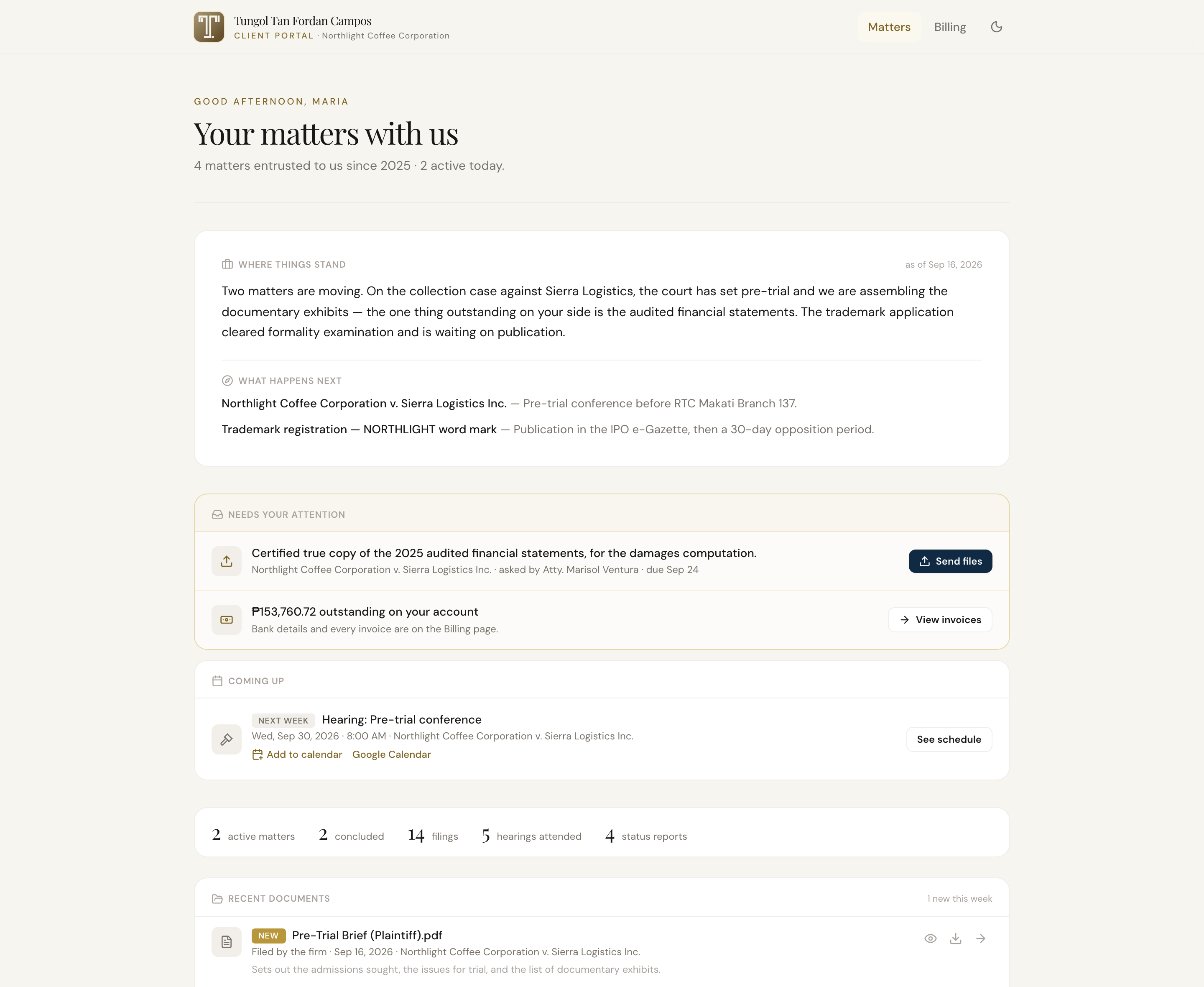
You land on your matters. At the top is a short summary of where things stand across the engagement, written for you rather than for the file — followed by anything waiting on you, and what is coming up next.
Each matter is a card: what it is called, its reference, the court if there is one, and when we last moved it. Concluded and archived matters stay available under the filters.
Step 3
Open a matter
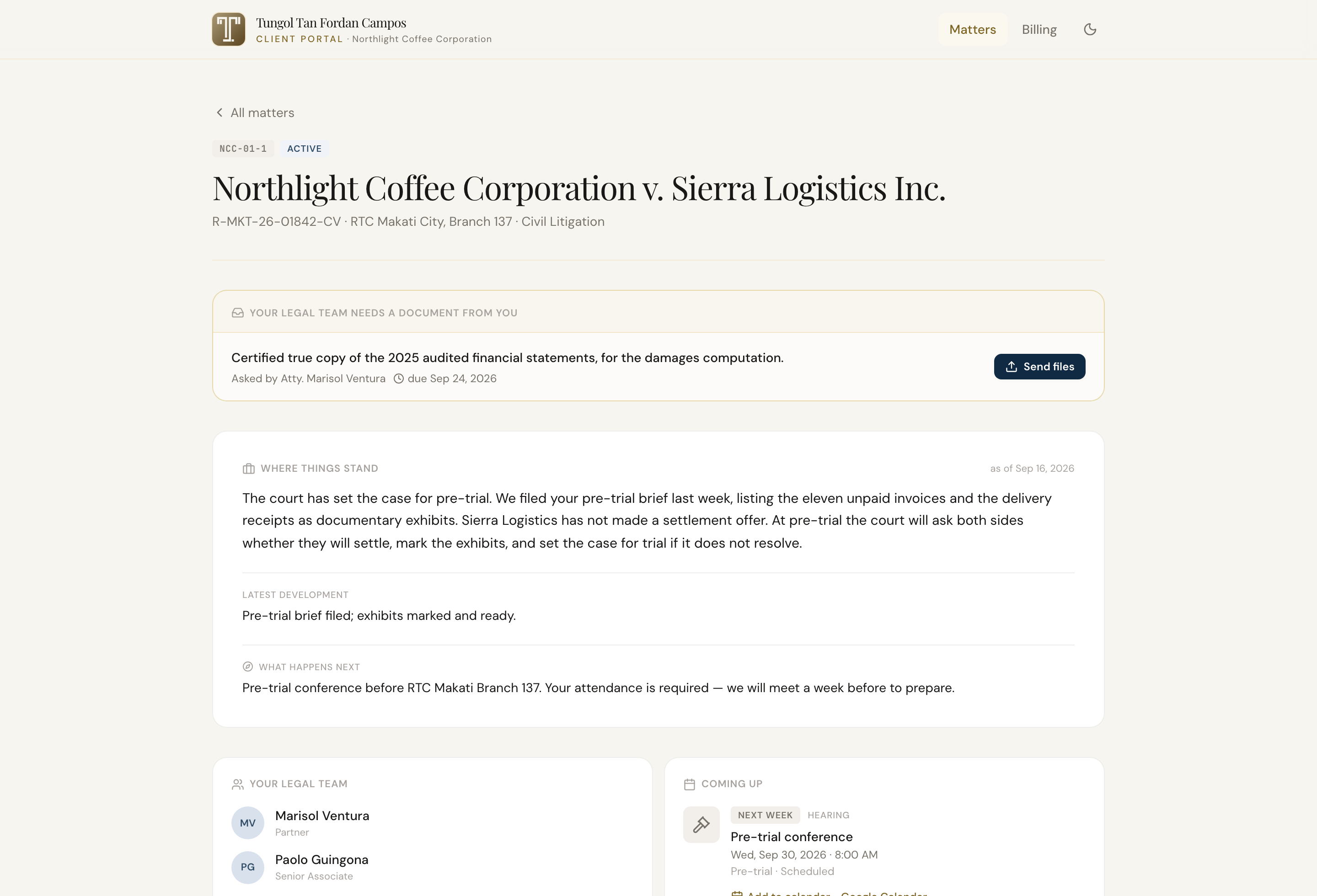
Inside a matter you get the same summary in more detail, who is working on it, what happens next, and a timeline of everything that has happened — filings, court records, hearings, and the monthly status reports, newest first.
The Documents tab holds every file. The Schedule tab holds the hearings and meetings. And if something is unclear, the Ask tab answers questions about that matter from its own record.
Step 4
Send us documents we have asked for
When a lawyer needs something from you, the request appears at the top of the matter — what is needed, who asked, and by when. Press Send files, choose the file, and it goes straight into the matter file. Your team is notified.
It saves the round of email, and it means the document is filed where it belongs rather than sitting in an inbox.
Step 5
Check your invoices
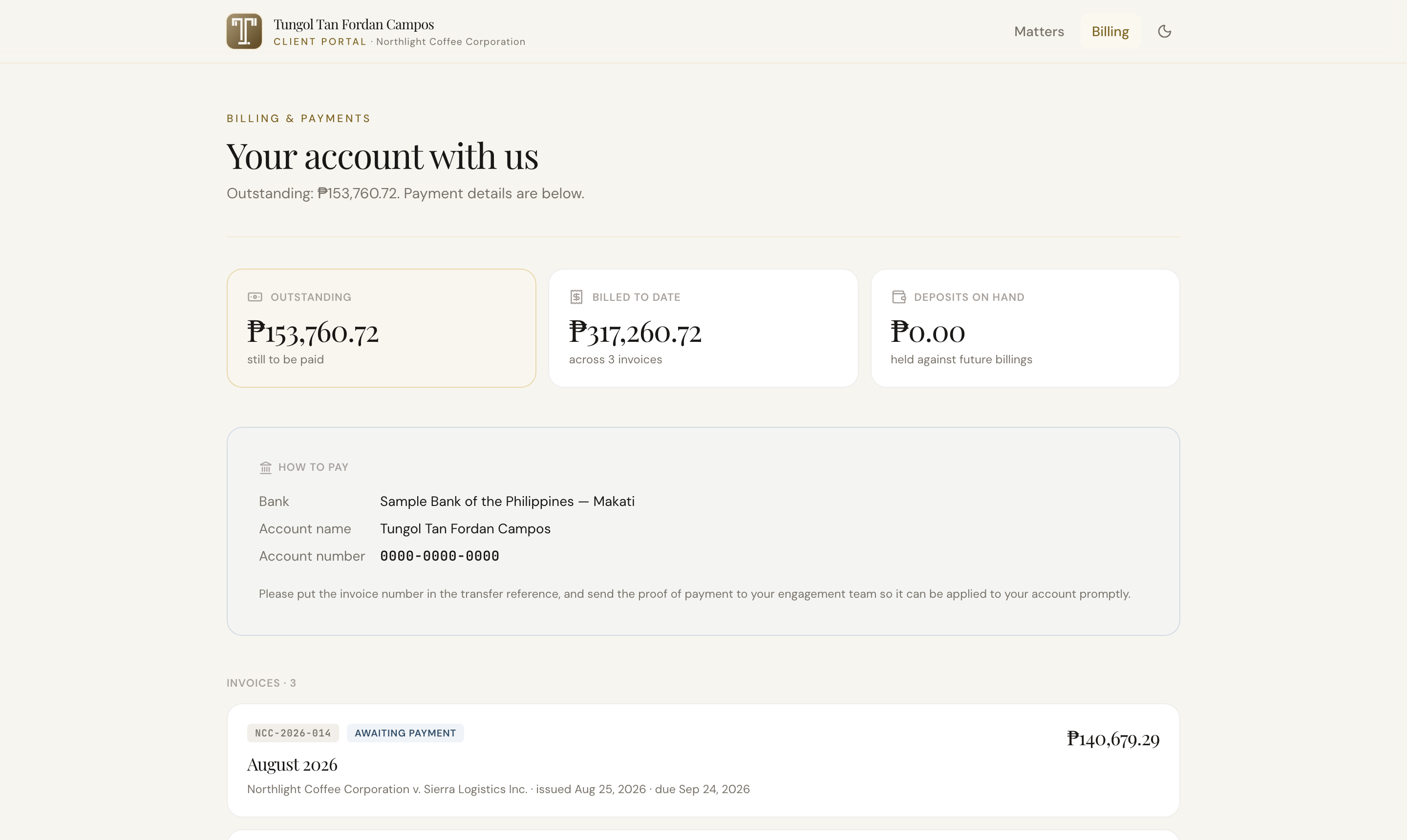
Billing lists every invoice we have issued you — the period it covers, what it came to, what has been paid, and what is still outstanding. Each one opens as the same letter we sent you.
Questions people ask
Who else can see this?
Only the people at your company that you ask us to invite, and the lawyers working on your matters. The portal shows your engagement and nothing else — no other client of the firm appears anywhere in it.
There is no password. Is that safe?
Yes — it is safer than a password you would have to remember. Each time you sign in we email a six-digit code to your address, good once and for about an hour. Someone would need your mailbox, not just a guess.
Do I still email my lawyer?
Of course. The portal is there so you do not have to email us to ask where something stands, or dig through your inbox for a copy of a filing. Anything you would rather discuss, discuss — nothing about how we work with you changes.
Can other people from my company get access?
Yes. Tell your engagement partner who should be added and we will send them their own invitation. Everyone sees the same matters.
Ready when you are
Sign in with the email address the firm invited. If you would rather someone walked you through it, ask your engagement partner — we are happy to.